Create Google My Business profile in Greater Noida – SSB Digital India
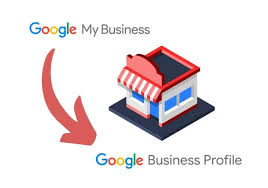
How to Create Google My Business (Google Business Profile) in 2026—Complete Beginner to Pro Guide
Want to attract local customers, increase Google Maps visibility, and grow your business in 2026?
Creating a free Google My Business listing (now called Google Business Profile) is still the most powerful local marketing tool for:
-
Small shops
-
Salons & restaurants
-
Freelancers & consultants
-
Service providers
-
Ecommerce & local brands
In this 2026 updated guide, you’ll learn:
What Google My Business is
Why it’s crucial in 2026
Step-by-step process to create GMB for free
20 high-intent local SEO keywords
20 most frequently asked GMB questions
What Is Google My Business (GMB) in 2026?
Google My Business (officially Google Business Profile) is a free Google tool that helps your business appear on:
-
Google Search
-
Google Maps
-
“Near me” & AI-based local results
When someone searches:
-
“website designing company in Greater Noida”
-
“plumber near me”
-
“AC repair in Noida Extension”
Your business profile shows:
-
Business name
-
Phone number
-
Website link
-
Location & directions
-
Reviews & ratings
-
Photos, services & updates
In 2026, Google Maps will be the new homepage for local businesses.
Why You Should Create a Google Business Profile (2026 Benefits)
Creating a GMB profile helps you:
Appear in local search results
Get discovered on Google Maps
Collect genuine customer reviews
Build instant trust
Increase calls, WhatsApp messages & visits
Compete with bigger brands locally
Whether you are a web developer in Noida Extension, a mobile-responsive website designer, or an e-commerce expert in Greater Noida, GMB helps customers find you faster.
Step-by-Step: How to Create Google My Business Profile for Free
Step 1️⃣: Visit Google Business Profile
Go to 👉 https://www.google.com/business
Click “Manage Now.”
Step 2️⃣: Sign In with Gmail
Use your business Gmail account.
(Recommended for long-term control & security)
Step 3️⃣: Enter Your Business Name
Type your exact business name
Example: SSB Digital India
⚠️ Avoid keyword stuffing.
Step 4️⃣: Select Your Business Category
Choose the most relevant category, such as
-
Website Designer
-
Digital Marketing Agency
-
Freelancer
-
Interior Decorator
-
Spa & Salon
📌 2026 Tip:
Use secondary categories wisely to improve reach (not spam).
Step 5️⃣: Add Your Business Location
Choose one option:
-
✔️ Physical office/shop (address visible)
-
✔️ Service-based business (address hidden, service areas shown)
Example Service Areas:
-
Greater Noida
-
Noida Extension
-
Gaur City
Step 6️⃣: Add Contact Details
Add:
-
📞 Phone number (example: 9315814211)
-
🌐 Website (optional but recommended)
Step 7️⃣: Verify Your Business
Google may verify using:
-
Postcard (5–12 days)
-
Phone / Email (selected businesses)
-
Video verification (2026 common method)
Step 8️⃣: Optimize Your Profile (Very Important)
Add:
-
Logo & real photos
-
Services & products
-
Business description (750 characters)
Example Description:
“SSB Digital India is a professional website designing company in Greater Noida, offering custom websites, SEO services, ecommerce development, and local SEO solutions.”
20 Frequently Asked Questions About Google My Business (2026)
1. What is Google My Business used for?
To appear in Google Search & Maps.
2. Is Google My Business free?
Yes, 100% free.
3. Can I use personal Gmail?
Yes, but business Gmail is better.
4. How long does verification take?
5–12 days (sometimes instant).
5. Can I list a business without an address?
Yes, service-based businesses can hide their address.
6. Can I create multiple GMB listings?
Yes, if locations are unique.
7. How do I optimize my GMB profile?
Photos, reviews, weekly posts, accurate info.
8. Business description limit?
750 characters.
9. How to rank higher on Google Maps?
Reviews, consistency, and local keywords.
10. Can I add multiple categories?
Yes, one primary and multiple secondary.
11. How to post updates?
Google Search > Business Profile > Add Update.
12. Which businesses need GMB?
All local & service businesses.
13. Can I manage GMB on mobile?
Yes, via the Google Maps app.
14. What are service areas?
Locations you serve (e.g., Gaur City, GN West).
15. Can I run ads from GMB?
Yes, via Google Ads integration.
16. Why are reviews important?
Trust is a local SEO ranking factor.
17. How often should I post?
At least once per week.
18. Should I use keywords in the description?
Yes, naturally.
19. Can I hide my address?
Yes, for service businesses.
20. Can I hire a GMB expert?
Yes, agencies like SSB Digital India manage & rank profiles professionally.
📌 Final Tips to Rank GMB Profile in Greater Noida (2026)
✔️ Use local keywords naturally
✔️ Upload real photos regularly
✔️ Ask happy customers for reviews
✔️ Link GMB to fast, mobile-friendly website
✔️ Post weekly updates & offers
✔️ Hire a local SEO expert for consistent growth
📞 Need Help with GMB Setup or Ranking?
SSB Digital India helps businesses rank in the top 3 on Google Maps in Noida & Greater Noida.
📲 Call / WhatsApp: 9315814211
🌐 Website: www.ssbdigitalindia.com
🚀 In 2026, if your business is not on Google Maps — it doesn’t exist.
- Website Development services delhi ncr near me
- Google Expert In Greater Noida
- GMB SEO Expert in Noida – Rank Your Business in Top 3 on Google Maps
- GMB SEO Expert in Ghaziabad – Rank in Top 3 on Google Maps near me
- Boost Your Local Business with SEO in Noida, Greater Noida & Ghaziabad – SSB Digital India


Get In Touch
Centre Gaur Chowk, LG-35, Gaur City, West, Sector 4, Greater Noida, Uttar Pradesh 203207
+91 9315-814-211 | 8377014621 | 8377014691 | 7088091951
info@ssbdigitalindia.com
Quick Links
Home About Us Our Services Contact Us Privacy & Policy Refund & Cancellation Policy Terms and ConditionsPhoto Gallery